There is a specific kind of discovery that only happens at a conference.
Not just the periphery finds I love: the small booth, the student founder, the tool you would never have stumbled across any other way. This is a different kind. The kind where you walk past a booth, catch something on a screen in your peripheral vision, stop, watch for thirty seconds, and think: where has this been my whole career?
I had never heard of Classkick before ISTE 2026.
That is on me. Classkick has been around for over a decade, used by tens of millions of students across more than 150 countries, and building a reputation in classrooms that apparently I had simply not yet found my way into. Sometimes the conference does not show you something new. Sometimes it shows you something that has been there all along and introduces you properly for the first time.
I stopped at their booth. They promised me a demo in ten minutes or less.
By the end of it, I had added Classkick to the presentation I was giving later that same afternoon.
If You’re New to Classkick Like Me:

The core of Classkick is deceptively simple: teachers upload their existing content — PDFs, Google Slides, images, documents — and students work on it in real time while the teacher watches every student’s screen simultaneously from one place.
Not after the fact. Not when the homework comes in. Right now, while the thinking is happening.
That sounds like something a lot of tools claim to do. Here is what makes Classkick’s version of it different: it is genuinely whole-class visibility in a single view. Every student’s canvas, live, at the same time. A teacher can see at a glance who is moving through the work, who has raised a hand for help, who has gone quiet in a way that deserves attention, and who is making the same mistake that three other students are also making — right now, while there is still time to stop and address it before the misconception becomes a habit.
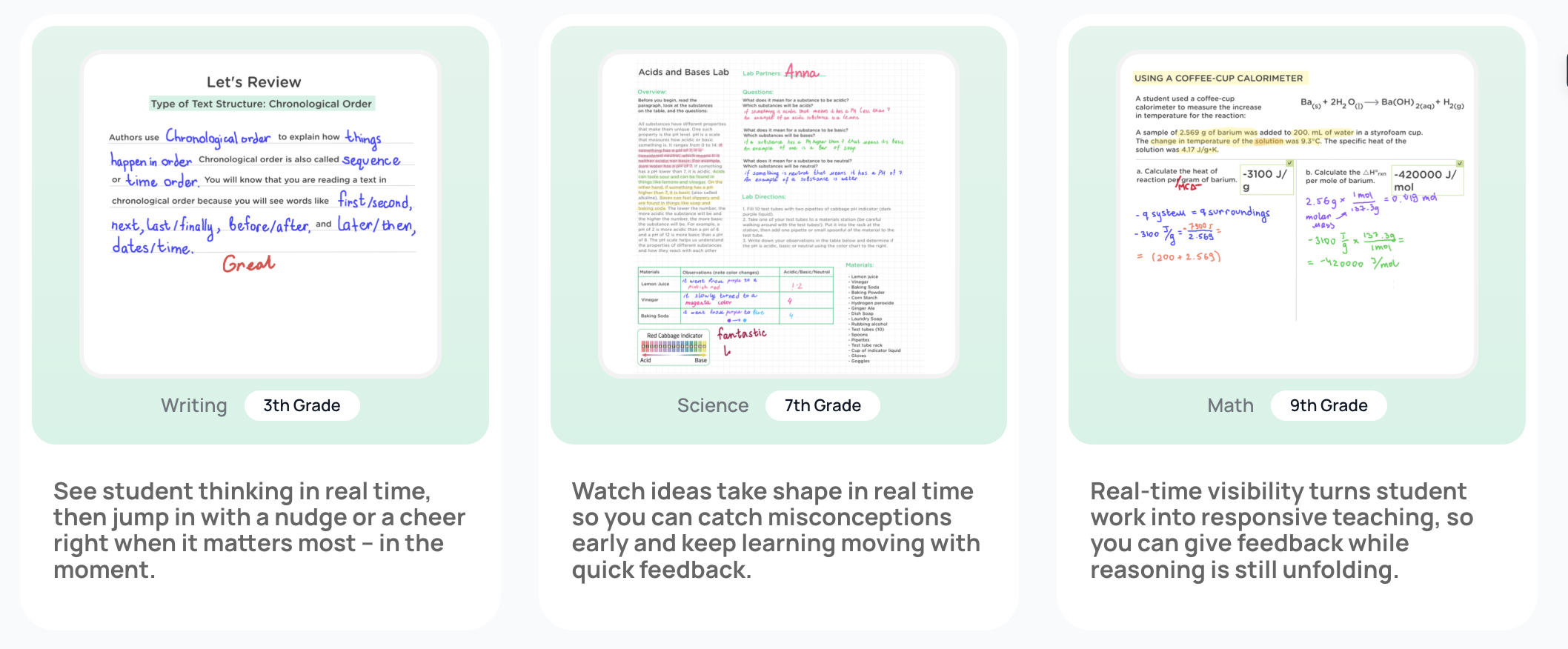
The feedback mechanism is equally immediate. A teacher can jump directly into a student’s canvas and annotate, draw, write, or drop a sticker, custom feedback delivered directly to the student while they are still working, not three days later when the assignment has been graded and the moment has passed. Students can also ask peers for help anonymously, which removes the social risk that keeps a lot of students from ever raising their hand at all.
The one-screen experience that caught my eye at the booth is exactly this: teacher and students operating in the same shared space simultaneously, with the teacher having full visibility and the ability to intervene at the exact moment intervention would actually help.
The AI Student Helper
What Classkick announced and showcased at ISTE 2026, the feature that excites me the most, is the AI Student Helper.
The Student Helper is an AI-powered tutor that lives directly inside Classkick assignments. When a student gets stuck, they can access Student Helper right there on the canvas — and what they get is not an answer. They get guidance. Hints. Questions that redirect them back toward the thinking they need to do. The AI keeps students moving forward without replacing the teacher’s role or doing the work for the student.
This is the same Socratic philosophy running through DeskPad, Code AI, and Kami Coach, and it is not a coincidence that multiple companies at ISTE 2026 are converging on this model. The Socratic AI is emerging as the answer to the question every educator is asking right now: how do we give students AI support without giving students AI shortcuts? Every tool at this conference that is getting it right is answering that question the same way: the AI asks the next question instead of providing the next answer.
The teacher also has full control over Student Helper; it can be toggled on or off per assignment or per roster, which means it is a tool in service of pedagogical intent rather than a feature that runs regardless of context.
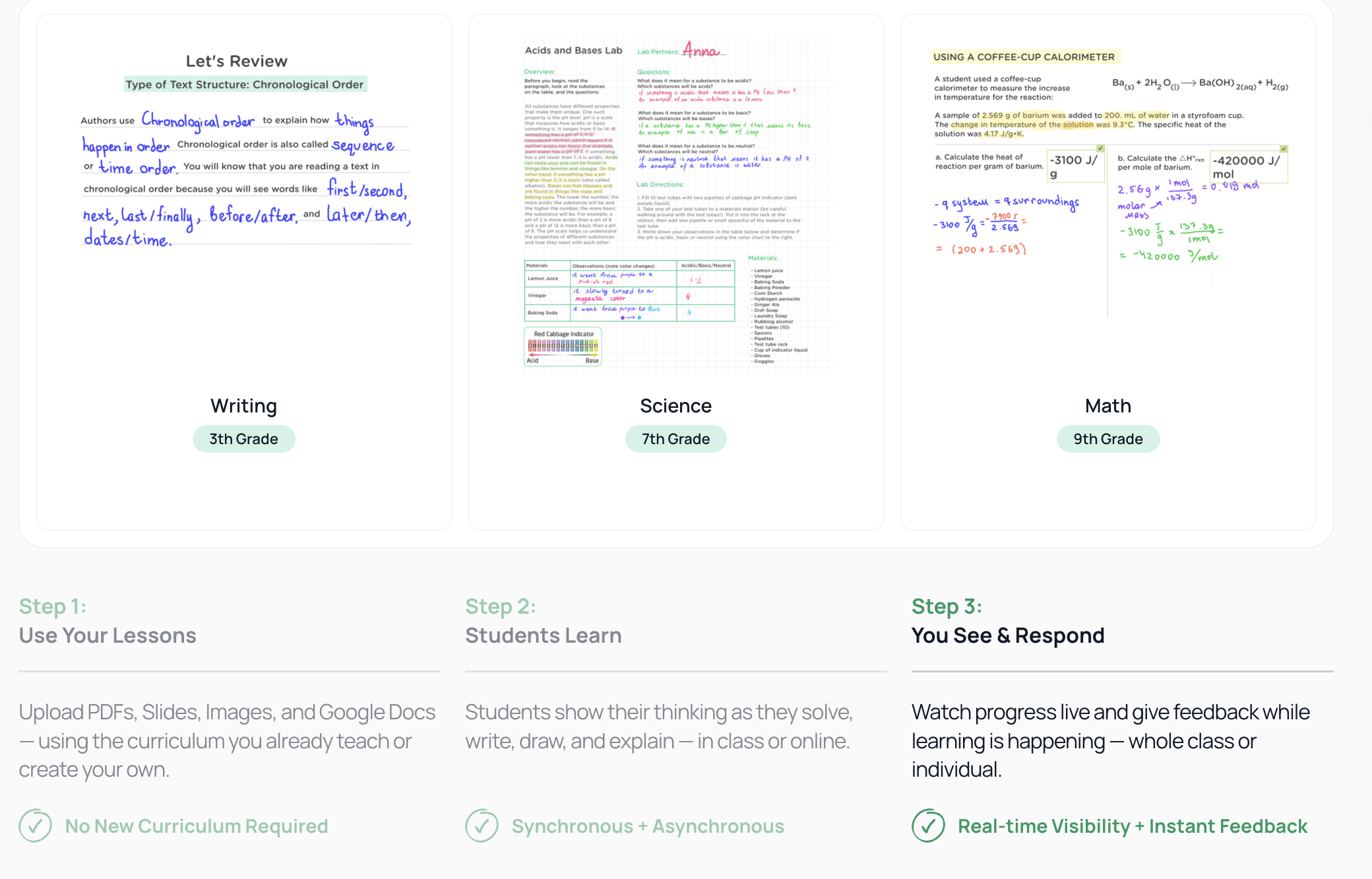
There is also AI Assignment Create, a tool that helps teachers build curriculum-aligned assignments faster, using their own content as the foundation. Less prep time. Same quality instruction. The AI serves the teacher’s lesson rather than generating a generic one.
Why I Added It to My Presentation That Afternoon
I was presenting a session on AI feedback loops in writing instruction at ISTE 2026. The session was about shifting the feedback paradigm — moving away from feedback that tells students what is wrong and toward feedback that asks students what they think and helps them find the answer themselves.
Classkick is that paradigm. Live. Functional. In use in classrooms across 150 countries. With an AI Student Helper that extends the Socratic feedback model to the moments when the teacher cannot be in every student’s canvas simultaneously.
I added it to my presentation because it was the best live example I had seen all week of the exact thing I was arguing for. Not a theoretical possibility. A tool with a decade of classroom use behind it and a new AI layer that extends what it has always done rather than replacing the core of why it worked.
That is a rare thing. And ten minutes at a booth was all it took to see it.
Request a demo: https://calendar.app.google/jL6kJndRonuFTaDc9